
Frequently Asked Questions
Here are some quick answers to Doodliez Frequently Asked Question
- Q: What's the maximum number of videos I can create?
- A: There is no limit to how many videos you can create in Doodliez.
- Q: Is there an auto-save feature?
- A: Yes, the auto-save feature is located under the settings option at the bottom left-hand side of the interface when working on a project.
- Q: Are there video templates we can use?
- A: Yes, you can utilize the free templates we offer based on your account access level (Standard or Enterprise). Templates are available in your Doodliez dashboard. Click on the template tab, then my free templates. You also have the option to purchase templates from the Doodliez Marketplace
- Q: What is Doodliez Rainbow?
- A: Doodliez Rainbow is a paid add-on. It is not included in the purchase of either the Standard or Enterprise license by default.
- Q: Can I download Doodliez on my tablet or mobile device?
- A: We currently do not have a mobile or tablet app for Doodliez.
- Q: Do I own the work I create?
- A: Yes, for our purposes, the user owns the work product and content the user creates using our software. We retain the rights to the software and the images, sounds, and other creative elements that we provide for you to use in connection with the software, and those are licensed to you in accordance with the Terms Of Sale Agreement. The works you create using these elements and our software are yours, as between you and us. We do not re-use, distribute, or commercialize your work product. The user is responsible for ensuring the user has all the necessary rights to the content the user creates or adds to the work product and that the user's work does not violate the rights of third parties.
- Q: Are there tutorials for Doodliez?
- A: Yes, we do. Please visit our Doodliez Tutorials to see how Doodliez works and help you get started. If you need further assistance, you can reach out to our support team by clicking on the contact us at the bottom right corner of your screen.
- Q: What is Doodliez’s Image policy?
- A: Doodliez membership includes proprietary rights to designs, graphics, and doodle videos created using our software. As long as you are a Doodliez member, the images provided are royalty-free for you to use within the software, however, the pre-loaded components are not available for download or use outside of Doodliez.

Create professional doodle videos in minutes. No tech or design skills needed.
© Apostol LLC All rights reserved.
Third-party components are the property of their respective owners.
This site is not a part of the Facebook website or Facebook INC. Additionally, this site is NOT endorsed by Facebook in ANY WAY. Facebook is a trademark of Facebook INC. You understand this to be an expression of opinions and not professional advice. You are solely responsible for the use of any content and hold Apostol LLC and all members and affiliates harmless in any event or claim. You can also safely assume that I get paid anytime you click on a link on this site. We recommend that you do your own Independent research before purchasing anything.
Disclaimer: We do NOT believe in get rich quick programs. We believe in hard work, adding value and dedication to reach your goals. It's a fact that one that does not take action will see no results whatsoever. The results featured on this page are not the norm and are extraordinary results from hard work, commitment and dedication by following through and taking action. You will get no results whatsoever if you assume by soaking up information products, joining program after program your life will change with riches. This is not for you. Your results are based upon your actions. If you want a magic button that will fulfil your life with riches then please leave this page and do NOT purchase. Our products are intended to help you share your message with the world whilst growing your business. We don't make any guarantees about your own results because we don't know you. Results in life are solely based on decisions made. We are here to help and guide you to move forward faster by giving you awesome content, direction and strategies to reach your end goal. Please check the content thoroughly on this page and that you are committed to taking relentless action and will put in the effort before you decide to make a purchase. If not then please leave this page and do not purchase.
Doodly is Part of the Voomly Cloud!
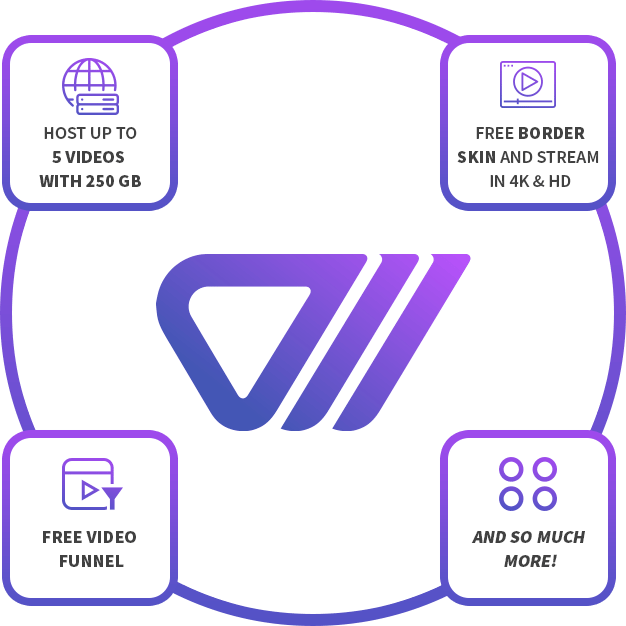
We know you're excited to get started creating Doodly videos and we want to make sharing those creations a breeze. That's why we're including a FREE Voomly account so you can host, stream, and share your videos with our ultra fast video player.
Your free Voomly account includes these features:
- Host up to 5 videos with 250 GB of cloud storage
- Customize your FREE border skin and stream in 4k & HD
- One FREE video funnel and custom thumbnails
- And so much more!
Check your email for details on how to log in and get started with Voomly and the Voomly Cloud!
Did you accidentally miss any of the upgrades?
Doodly Enterprise Level
- Enterprise upgrade includes... Over 8,000 images in your Doodly library vs under 1,000 that comes with Standard
- New images added every single month
- You'll get 4x the number of music tracks in your library
Talkia
- Create voiceovers for your Doodly videos, by converting text to speech
- Choose from a variety of men, women, adults and youth voices
- Many different countries to choose from
Automatic Script
- Creates video scripts in just a few minutes
- Uses proven formulas created by the best known copywriters on the planet
- Create as many video scripts as you'd like + automatically create scripts for virtually anything
Download Doodly
*NOTE* Doodly access requires your username and password. These credentials were EMAILED to the address you provided when you purchased Doodly. Please check your spam / junk folders as well.
Having trouble accessing your account? Please email us at support@doodly.com and make sure to include your receipt! Note that you can always select, "Forgot Password" on your Doodly login page as well.
*Anti-Virus Alert* Sometimes our "update.exe" file will trigger an anti-virus alert. Your computer is alerting you as a precaution, but you can verify that the update comes directly from us and will provide you with a better app experience. See this FAQ answer for more information.
Windows
Requires Window 7 or higher

Mac
Requires OS X 10.11 or higher
Doodly Tutorials
- Video #1 Interface Tour
- Video #2 Background Types
- Video #3 Creating Your First Video
- Video #4 Timeline Basics
- Video #5 Video Settings
- Video #6 Asset Settings
- Video #7 Scene Settings
- Video #8 Working With Additional Assets
- Video #9 Panning And Zooming
- Video #10 Exporting Your Video